 ToDo/Notes Apps
for your Smart Phone or iPad ToDo/Notes Apps
for your Smart Phone or iPad
If you own an iphone and/or an ipad, you may want to use one
of these powerful apps to manage your To Do's:
Cindy Abts, Sales Coordinator on our team in
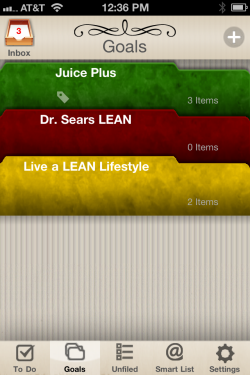
Colorado, uses LifeNotes ToDo this way (you can see screenshots of her app pages below). Here's the
audio of our call featuring Cindy.
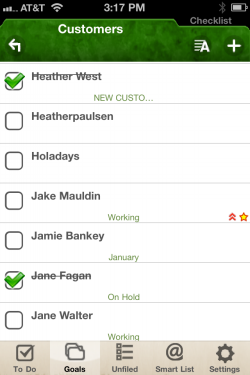
"I have Goals for Juice Plus, Dr. Sears LEAN and my other nutrition classes (1).
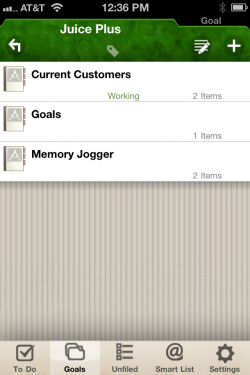
Under Juice Plus, I have Current Customers
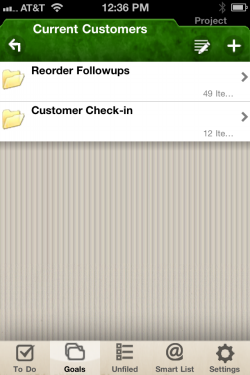
(2),
which contains a file with all my Customer Reorder follow-ups, and one for my JP+ Effect surveys (3).
These send me a reminder 10 days prior and
the Customer Reorder follow-ups reset every 4 months.
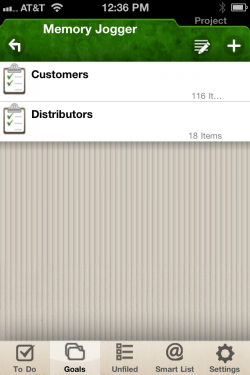
I also have a Memory Jogger folder with one
for customers and one for distributors (4).
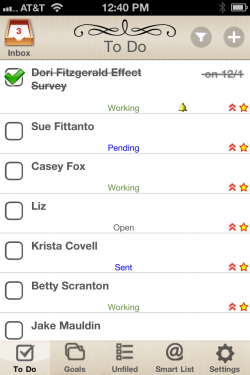
This is where I choose 20 (for my
20-10-5-1) and 'star' their name so they show up in my to-do list for the month (5)."
Use any system you like, but the better
organized you are, the more you will achieve, starting with your
20-10-5-1.
If you have an Android phone there are lots of
similar apps recommended here.
Getting Things Done
by David Allen teaches the principle that we need to move tasks out of our minds by recording them externally.
That way, our mind is freed from the job of remembering everything that needs to be done, and can concentrate on
actually performing those tasks. The resulting freedom, productivity and efficiency lead to less Stress and more Success.
iPad App: the Juice Plus+ Presenter: download from your Virtual
Office
wplus |